


Light Writer 1.0
The compact and easy to use word processor!
A fast, compact and easy to use word processor. It includes most of the features you should need for everyday use, such as font style, size, colour, alignment (left, center, right), bullets, change case, find and replace dialogs - all of which are instantly available from a single toolbar at the top of the screen. Cut, copy, paste and undo are located in the right-click context menu, or you can use the usual keyboard shortcuts. There is also a handy automatic word count feature so you can keep track of your document length as you type.
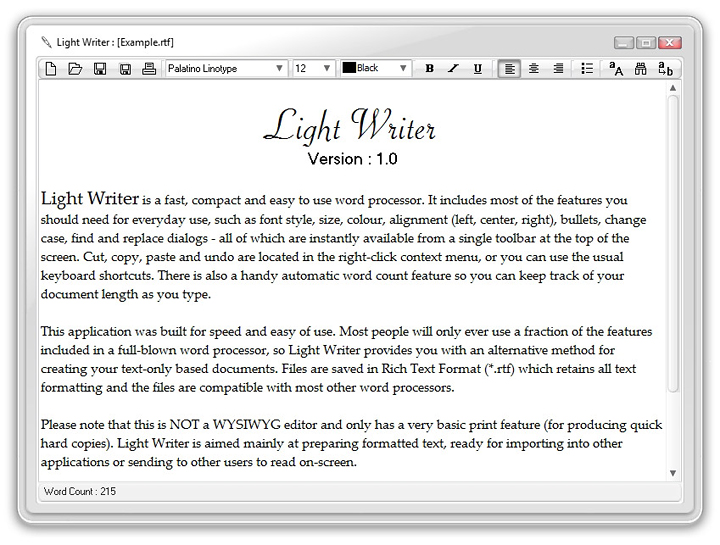
This application was built for speed and easy of use. Most people will only ever use a fraction of the features included in a full-blown word processor, so Light Writer provides you with an alternative method for creating your text-only based documents. Files are saved in Rich Text Format (*.rtf) which retains all text formatting and the files are compatible with most other word processors.
Please note that this is NOT a WYSIWYG editor and only has a very basic print feature (for producing quick hard copies). Light Writer is aimed mainly at preparing formatted text, ready for importing into other applications or sending to other users to read on-screen.
System Requirements
- Windows 7, 8, 10 or 11
- 2GB of RAM minimum
- 2.23MB of hard disk space
- 1280 x 960 screen resolution
FREE Download
This product is FREEWARE. You may download it and use for both personal and commercial work, without any charge.

Installation
1. Unzip the LightWriter.zip file above to a suitable folder on your hard drive, for example... C:\Cybia\LightWriter.
2. Manually create a link (if needed) in your Start Menu or on your Desktop and click on the LightWriter.exe link to run the program.

If you have any questions then please use the Contact Form to get in touch, thanks!