


Plug-In Switch 1.3
Disable and re-enable your Photoshop filters!
With hundreds of plug-in filters now available for expanding your host
applications, it becomes essential to have an easy way of organising all
the installed files.
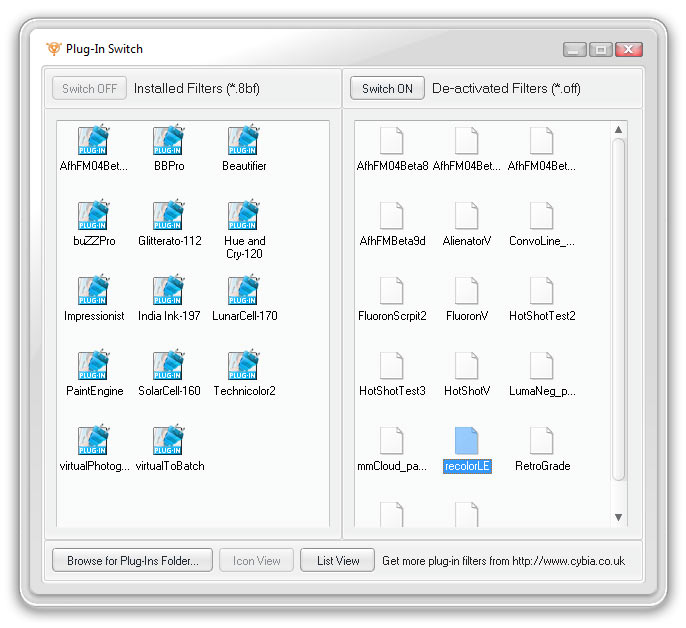
This utility was developed in order to help users disable Photoshop
filters on a temporary basis and re-enable them again when needed,
without having to completely uninstall the plug-ins each time. A handy
time-saving tool.
Remember, you must use Plug-In Switch BEFORE running
your host application for the settings to take effect. Do NOT try to
enable or disable filters while your host program is running!
System Requirements
- Windows 7, 8, 10 or 11
- 2GB of RAM minimum
- 1.68MB of hard disk space
- 800 x 600 screen resolution
- Adobe Photoshop
- or other plug-in compatible host
- Any *.8bf format plug-in filters
FREE Download
This product is FREEWARE. You may download it and use for both personal and commercial work, without any charge.

Installation
1. Unzip the PluginSwitch.zip file above to a suitable folder on your hard drive, for example... C:\Cybia\PluginSwitch.
2. Manually create a link (if needed) in your Start Menu or on your Desktop and click on the PluginSwitch.exe link to run the program.

If you have any questions then please use the Contact Form to get in touch, thanks!